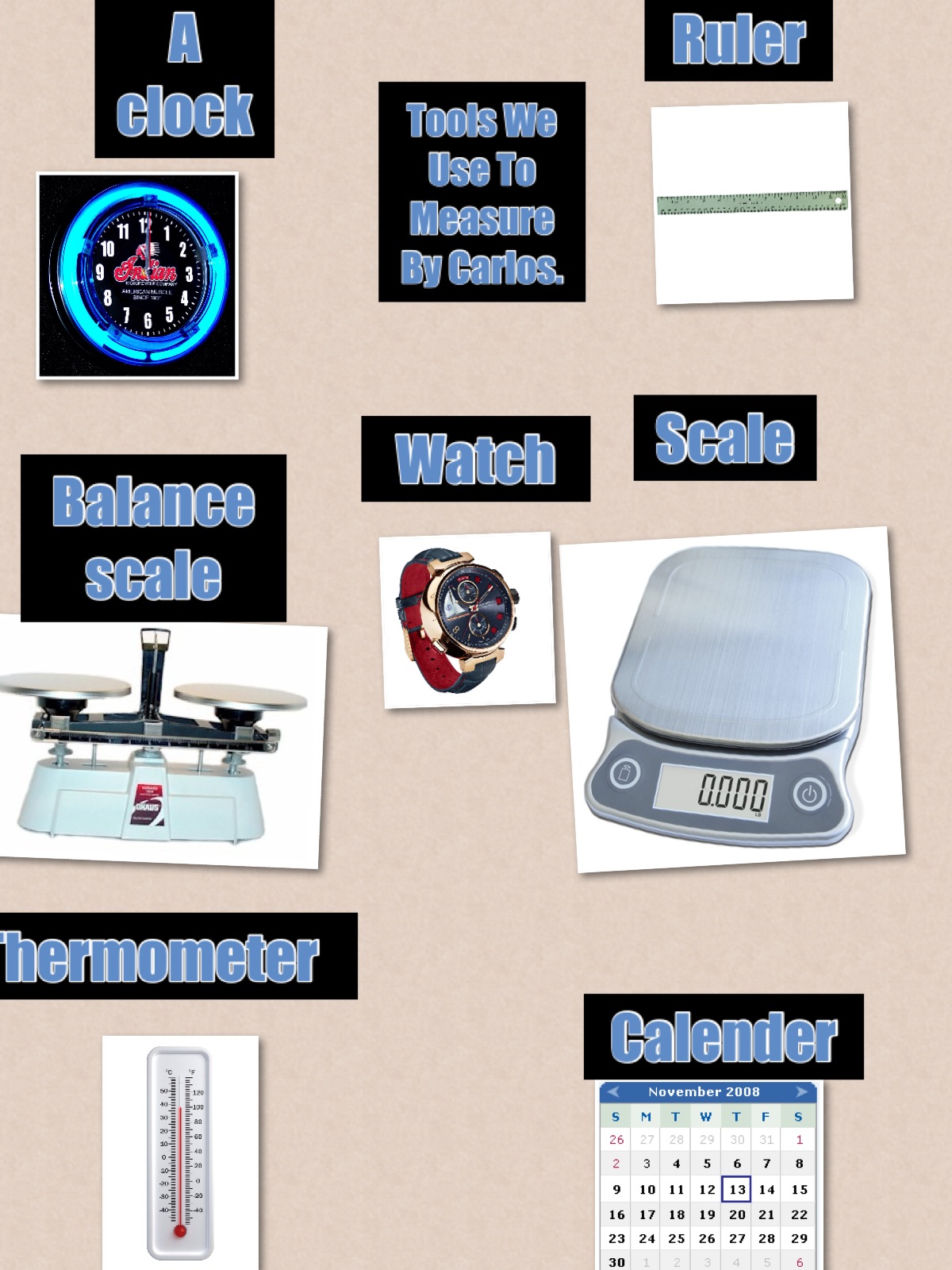
Right now my class is in the middle of creating their own story math problems in a variety of ways. One way that seems to be popular is using twitter, and more specifically the hashtag #mathstory to write and share math story problems. They have had several other classes read and respond to their math problems and some have added their own too. My students are trying to reply to everyone's tweets and to respond to those math problems that they are writing. My students are engaged and excited to see their math problems solved by other children outside of our school.
One thing that's cool is that they have had their questions replied to in many different formats. Some teachers have had their students draw their thinking in pictures, and then have tweeted those pictures. Others have had their students rewrite the number sentence with the answers. Others still have written both the addition and subtraction way to find the answers. It's great for my students to see these different ways to solve number stories.
Have you ever used twitter, and more specifically a twitter hashtag to help teach/learn/reinforce a concept? I'd love to hear how. In the mean time here's a Storify of some of the tweets that have gone back and forth. For clarity sake I have tried to make the conversations flow. Also for some reason I was not able to find the tweets of my students responding to the answers to their questions despite the fact that in many cases they have.
Learning and Sharing with Ms. Lirenman
I am a grade one teacher in Surrey, British Columbia, Canada. After twenty years and a bunch of improvements in my teaching, I still have so much more to learn. Plus life is too short to be stuck doing the same thing in and out everyday. This blog is a way to help me process and share all that I'm discovering on my quest to be the best educator I can be.
Sunday, May 12, 2013
Saturday, May 11, 2013
Independent Animal Research In Grade One
For the past few weeks my students have been working on independent animal research projects. Now I must confess I have never done independent animal research projects with my grade one students before. Typically we study as a class, frogs or butterflies, and we learn together. I guide the lessons and my students learn what I teach them. Yes what we learned varied from year to year, and how we learned the information did too, but I was the teacher. But with the increase access to technology, and my change in teaching practices that way of teaching is no longer good enough for me.
Now as I've mentioned my students have had access to technology for most of the year. They have used it to show and share their learning in ways that work best for them. Choice has been key in my class and my students have embraced and ran with it. So I knew my approach to learning about animal basic needs had to change.
After seeing Kristen Wideen's grade one and two students create animal research projects I felt it was something I needed to give my students a chance to try too. I modelled the process first with Koala research. I taught them how to find information through Discovery Ed, the Pocket Zoo app, and books. I encourage them to sort the information they were finding into a graphic organizer created by Mrs. Wideen, but modified for my class. My students were given the task to search for information about their chosen animal under the categories can, are, and have. They were also encouraged to find interesting facts, and ways their basic needs were met. They used Discovery Education to find age appropriate videos (you've got to love the filtering system on Discovery Ed). The Pocket Zoo app also provided more videos for my students, along with web cams to look at. And we had library books too of course. Needless to say my students were excited to do research on animals they were curious to learn more about.
My students were told that they could research ANY animal that they were interested in and they could do this on their own or with a friend. It was their choice. Through out this year I have witnessed how powerful it has been to give my students choice in how they learn. I have seen the negotiations and the peer teaching when they work with a partner, and I have seen the independence some enjoy when working on their own. So right from the beginning I never told them that they had to work on their own or with a friend, it was always their choice. Most of them chose a friend.
Before I go any further I think it's important to know that I have a typical grade one classroom with a variety of learning styles and unique needs. I have no additional adult support in my room so these projects were created by my students. It was impressive for me to see my students so engaged and on task throughout the work periods. There were tons of questions asked - both related to the animals they were studying, and the steps that needed to be taken. While I answered many of them, they relied on each other for help too. My room was very active with learning during this project.
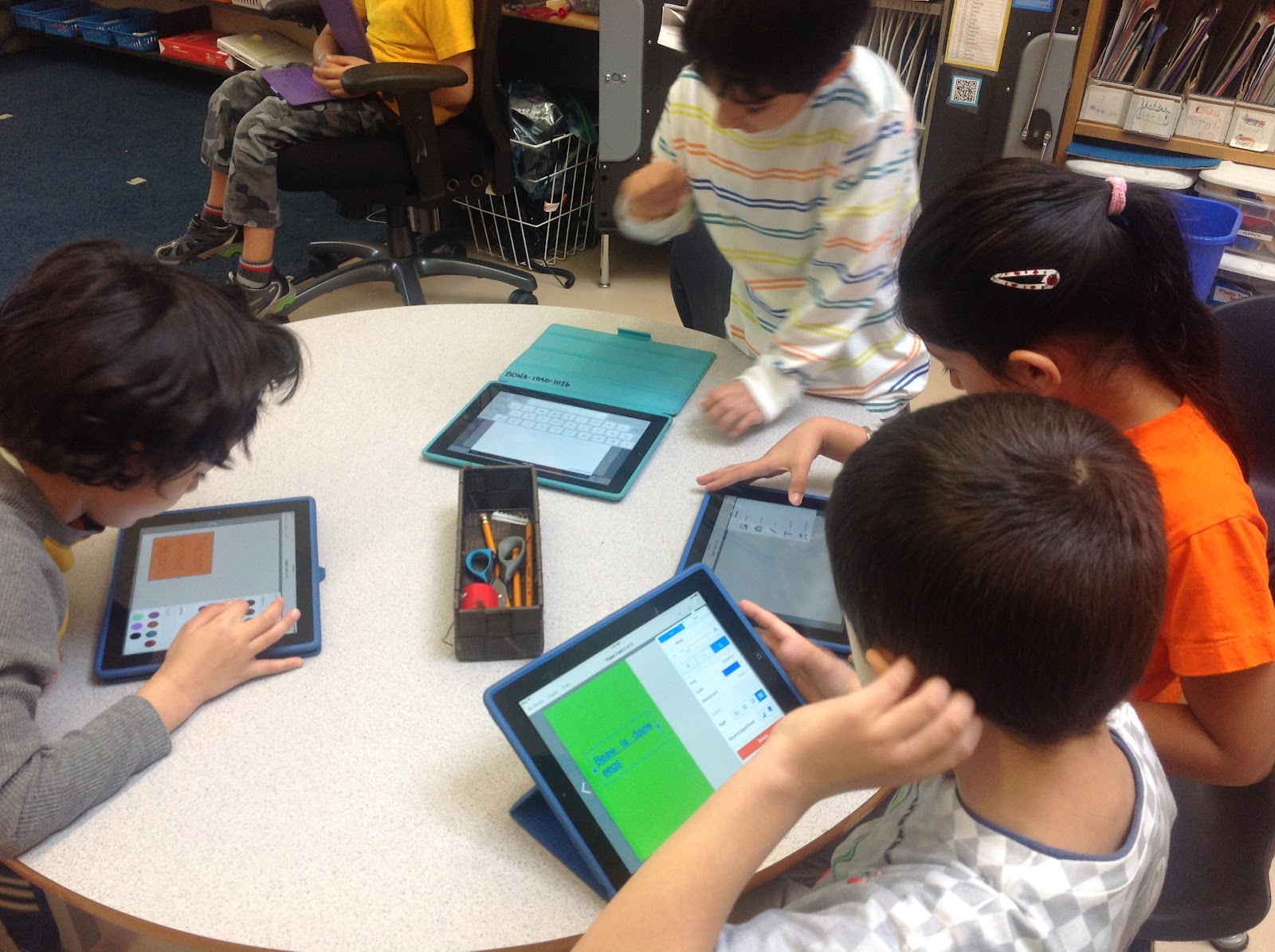
After a few days of fact gathering my students started to put their books together in the iPad app BookCreator. The cool thing about Book Creator is that it has a special feature called "combined books". Knowing this was an option in advance each student created their own pages on their own iPads which would later be shared with their partner to create combined book. This allowed me to see what each student was doing on their own before the final book was combined with their parner's.
My students surpassed any expectations that I had for them. I was really impressed with the way they showed their learning. Many used Discovery Ed to find their images while others used Draw and Tell to draw their own. They were all required to have at least one image labeled using the app Skitch, and one graphic organizer created using the app Popplet.

Once the children were finished creating their individual pages the two iPads were brought to me. I saved one part of the two person story into Dropbox and opened it in Book Creator on the other iPad. From there I used the awesome "combine books" feature in Book Creator and combined the two student parts together into one book. My students then moved the pages around, edited for repeat information, and completed their books to their satisfaction.
At this point, once they were satisfied with what they had created, they saved their books to iBook. I encourage them to do this because the screen shots are much better when taken from the "published" version of the book. Most groups remembered to do this.
When it came time to get the books out of Book Creator to share with the world on their blogs my students chose different ways to do this. One group used Explain Everything to add the screen shots of their books and record their voice. Most created their "movies" in iMovie. Some recorded their images in Draw and Tell first, while others recorded directly in iMovie. Some didn't record at all and added music instead. I never told them how they had to present it to the world but I did expect them to come up with a way to be able to show the world their creations.
I think what impressed me most about this project was that my students did so much of this independently. I was away from my class a fair bit over the past few weeks and while I have fantastic teachers on call that work with my students while I am away, my students really didn't need them either. They were in control of their learning.
So in review for this project my students...
- Chose an animal to study
- Decided to work independently or with a friend
- Used Discovery Education, the Pocket Zoo app, and books to find facts about their animals
- Recorded these facts on a graphic organizer
- Used the information from the graphic organizer to create sentences and pages in the Book Creator app (each student started their own book, on the iPad they had access to)
- Searched for images in Discovery Ed to add to their books.
- Created images in Draw and Tell to add to their books.
- Some recorded their writing directly in the Book Creator App
- Had me (the teacher) combined their individual books via Dropbox to create one shared book on the same animal
- Edited and moved pages around to complete the combined book
- Sent the finished book to iBooks and took screen shots of each page.
- Imported the screen shots into Explain Everything and added voice OR
- Imported the screen shots into Draw and Tell and added voice (and is some cases tracked the words as they were read and recorded) and put those voice recordings into iMovie
- Saved their final movies into the iPad Camera Roll and shared those movies on their individual blogs.
What would I change for next time?
- Encourage and expect all my students to record their stories orally
- Discourage the use of music in their book videos.
- Ensure that all students send their books to iBooks before they take their screen shots for the voice recordings.
- If using iMovie do the voice recordings in Draw and Tell to eliminate the Ken Burns affect. It really bothers me when their hard work isn't seen because of the Ken Burns affect.
- Expect them to add a credit to Discovery Ed, Pocket Zoo App, and the books that they used for their research.
- Encourage each student to reflect more on the experience. Many did anyhow.
Curious what their final books look like? Here they are. (There are a couple more still to be finished but will be added here once they are.)
Saturday, May 4, 2013
Learning About 2D and 3D Shapes - More Examples of the Power of Choice
For the past couple of weeks the math focus in my classroom has been on getting to know, and learning about 2D and 3D shapes. As a grade one teacher in Surrey, British Columbia I am responsible for ensuring that my students can do the following:
The second option was to use the iPad/iPod camera to take pictures of geometric shapes found in our classroom and then to use those pictures to create a "shape" poster using the free Pic Collage app. Again several students choose this option too.
A fourth choice was to build a castle using 3D shapes, and then either count and record the number of each shapes used, or label the shapes used. Many of my students enjoyed this option as they love to created and build. Originally I wanted them to created castles, but then realized it didn't really matter what they wanted to created. Here are a couple of pictures of a some of my students creating.
Another choice was to create an iMovie documenting geometric shapes. Some students chose to take photos and label our official "math" shapes, while others took photos of objects around the classroom. The guidelines were kept loose as I love to see what my students will do. I was particularly impressed by this student because she used four different tools to create this iMove. First she used the camera to take pictures of geometric shapes around the classroom. Then she imported her images into skitch, and one by one labelled them with the correct geometric shape. Next she imported those labeled images into the Draw and Tell app and added voice to those images, and finally she put those images into iMovie. I love how she discovered the sounds effects part of iMovie too and added the applause at the end of her video. But the coolest thing of all is that all of this was done independently while I was at a reading conference in Moose Jaw! It is a fine example of how amazing my grade one students really are when I give them the choice to show me what they know in ways that work best for them.
- Sort 3-D objects and 2-D Shapes and explains the sorting rule
- Copy given composite 2-D shapes and 3-d objects
- Compare 2-D shapes to parts of 3-D objects in the environment
While I have specific learning outcomes that I must teach I really like the ability to give my students choice in how they learn/master these outcomes. My students are told what they are required to learn. They are told which activities can help them practice and show this knowledge although many of the choices allow my students different ways to show this learning. I also explicitly teach mini lessons around these concepts but I provide them with a variety of choices to learn/master these outcomes. So what were these choices?
Before I introduced the choices as a class we played with the iPad app Explain Everything. Each child created their own 2D shape book from items from around the classroom. Here's a sample created by one of my students.
After a couple of days of playing with 2D shapes I felt confident in letting my students choose the way they wanted to explore 2D and 3D shapes further.
The first option was to learn via Skype. In this choice one of my students gave clues to one of Ms. DeGroot's class via Skype. Ms. DeGroot's class in in Iowa! The clues described the property of a specific 2D shape or 3D solid. The clues may have included, "it looks like a can, it has two circle faces" etc. Several of my students choose to do this activity each day throughout the unit. This is what this choice looked like.
The second option was to use the iPad/iPod camera to take pictures of geometric shapes found in our classroom and then to use those pictures to create a "shape" poster using the free Pic Collage app. Again several students choose this option too.
The third option was to tweet out clues about 2D/3D shapes to the hashtag #2d3dshapes. A small number of children chose this option. Here's a sample tweet by one of my students. What I love is the responses that he received from two different classes. I can assure you it made him smile too.
And here are some ways they shared their learning through their creations.
Another choice (one that everyone had to do over the course of the unit to show me that could demonstrate their knowledge of the first ministry prescribed learning out come) was to sort objects by a specific attribute and then explain their rule either to me directly, or through a voice recording app. Here's an example of that learning.
And finally students used different ways to label 2D shapes found on their 3D objects.
Needless to say my students continued to inspire me as they took control of their learning. No one did the same thing. Many worked together teaching one another yet all could demonstrate their knowledge when I worked with them on their own. Choice is a very powerful way to learn and I am very thankful that I continue to find more ways to give my students these choices.
Are you using choice in your classroom to help better put your students closer to the centre of their learning? I'd love to hear how you're doing this.
Sunday, April 28, 2013
Bringing Digital Books to Life
Book Creator and My Story are two great apps that my grade
one students use to write their fiction and non-fiction stories. Both apps allow them to draw or add
images, type, and add voice to their stories. They are both easy for my grade
one students to use independently.
However as easy as they are to use to create stories, they are much harder to share outside of an iOs device.
This bothered my students and I and we needed a solution.
As my class and I were working with our high school friends
creating books in Book Creator a solution came to my head which was easy enough
for my grade one students to do independently. First my students created their books in Book Creator
(although the exact same thing could be done in the My Story app). At this time they did not add voice to their
stories even though they easily could with in the app. Once their books were created they sent them
to iBooks. iBooks creates a polished
book version of their hard work.
From iBooks my students took a screen shot of each page in
their story. In case you’re not sure how to take a screen shot you push the
sleep button and the home button on the iPad at the same time. Before they took their screen shots I reminded my students that they wanted to make sure no signs from the iBooks app are showing
(such as library, or small page versions of the book at the bottom of the
screen).
My students then brought each screen shot into a voice
recording app to read what they had written on their pages. If you know my class at all their go to app
is Draw and Tell and so one by one they brought their book pages into Draw and
Tell and recorded themselves reading their text. Once the recording was finished
they saved them back into the camera roll.
With all the images saved in the camera roll and with voice
added to the screen shots my students then went to iMovie and created a new
project. For this project they uploaded
each page of their book (with the voice recording on it) and created an iMovie. The iMovie was then saved to the camera roll
and easily up loaded to their blogs and presto, their books were available for
the world to see.
Now while my class loves to use Draw and Tell and are very
familiar with how iMovie on the iPad works, this could be done in other apps
too. The screen shots from Book Creator could easily be uploaded into the app
Explain Everything and the voice recording could be done there as well. In addition my students wouldn’t have to go
to iMovie to create a movie because it could all be done in Explain Everything. Explain Everything shares to a variety of locations including, very conveniently, the camera roll.
The screen shots could also be easily added to Educreations
and again the recording can occur there.
When you make a project public in Educreations you can get an embedding
code, which can easily be shared on a student or class blog.
So while none of these options are ideal, they do
demonstrate a few different ways to share iDevice created books on the
web. How are you sharing your iBooks
with the world? I’d love to know other options.
Saturday, April 27, 2013
Learning with Neil Stephenson
A couple of weeks ago I attended my district's fifth of six digital dinner series sessions. The evening started in the usual way with sharing by two local schools. The first Mme Nero from Kwatlen Park Secondary. She has her students working through some great projects in FRENCH. (Okay that always inspires me because while I learned french in school, and I can get my very basic needs met, I love that so many can read, write, and speak french as if it was their first language). After that Woodward Hill Elementary shared what they have been doing with technology and shared a truly inspiring video. Its one of the best I've seen. It makes me so proud to know this type of learning is happening in my school district.
The keynote speaker of the evening was Neil Stephenson. I've been following Neil for a while on twitter and met him f2f at EdCampDelta in the fall. I like what he has to say and how he thinks. At times he pushes my thinking on twitter asking me questions which are engaging and help me reflect on what I'm doing with my students. I need that push in my thinking and I appreciate when I get it. To no surprise Neil's talk on Thursday night did exactly that.
Neil had me really thinking about what I am doing with my students now, and how I can continue to improve my practice. He made me think about the balance I have in my classroom with me being the "sage on stage" and also being the "guide on the side". It isn't one or the other, it's a combination of both. He made me look at where my balance is with my students.
Doing meaningful work also came up with a focus on inquiry. I like having my student read, write, and do things that are important to them, while being mindful of my ministry guidelines. Neil talked about designing learning around essential questions, foundational skills, student misconceptions. He talked about not just teaching math but teaching mathematical thinking.
Through out his keynote I kept going back to what is happening in my classroom with my students. Often it's over whelming for me to meet all the goals I want to meet for myself and for my students. I know there are many things I am doing well with my students but listening to Neil speak I also know there are so many things I could be doing better. I also struggle a lot with who is really doing the learning in my classroom as wrote about here.
As you can see I'm having a difficult time putting into words how Neil's keynote affected me as a person and an educator. What I do know is that I love how Neil pushes my thinking.
Some of my take aways and how they will impact my current teaching are as follows:
I wish I was able to share more of what is running around in my head after listening to Neil speak but after two weeks it's still a bit jumbled up.
I am very thankful to have had the time to listen to Neil speak and I really hope he will continue to push my thinking. I'd love to have the opportunity to work with him again.
The keynote speaker of the evening was Neil Stephenson. I've been following Neil for a while on twitter and met him f2f at EdCampDelta in the fall. I like what he has to say and how he thinks. At times he pushes my thinking on twitter asking me questions which are engaging and help me reflect on what I'm doing with my students. I need that push in my thinking and I appreciate when I get it. To no surprise Neil's talk on Thursday night did exactly that.
Neil had me really thinking about what I am doing with my students now, and how I can continue to improve my practice. He made me think about the balance I have in my classroom with me being the "sage on stage" and also being the "guide on the side". It isn't one or the other, it's a combination of both. He made me look at where my balance is with my students.
Doing meaningful work also came up with a focus on inquiry. I like having my student read, write, and do things that are important to them, while being mindful of my ministry guidelines. Neil talked about designing learning around essential questions, foundational skills, student misconceptions. He talked about not just teaching math but teaching mathematical thinking.
Through out his keynote I kept going back to what is happening in my classroom with my students. Often it's over whelming for me to meet all the goals I want to meet for myself and for my students. I know there are many things I am doing well with my students but listening to Neil speak I also know there are so many things I could be doing better. I also struggle a lot with who is really doing the learning in my classroom as wrote about here.
As you can see I'm having a difficult time putting into words how Neil's keynote affected me as a person and an educator. What I do know is that I love how Neil pushes my thinking.
Some of my take aways and how they will impact my current teaching are as follows:
- A knowledge building classroom is about deep effective inquiry.
- Good teaching is a balance between the guide on the side and the sage on the stage.
- Inquiry is curiousity and wondering in learning.
- All curriculum lives in the world some where and we need to start where these ideas exist in the real world.
- Assessment is key and learning needs to be made visible
I wish I was able to share more of what is running around in my head after listening to Neil speak but after two weeks it's still a bit jumbled up.
I am very thankful to have had the time to listen to Neil speak and I really hope he will continue to push my thinking. I'd love to have the opportunity to work with him again.
Sunday, April 14, 2013
Connected From The Start by Kathy Cassidy - A Review
Kathy Cassidy is a grade one teacher in Moose Jaw, Saskatchewan. She is one of the first grade one educators I connected with when I joined twitter in July 2011 and I can't thank her enough for generously sharing her knowledge with me. This past week Kathy published her first book, Connected From The Start: Global Learning in the Primary Grades.
Kathy's book takes a look at the journey of connecting young learners with the world. In clear, gentle language Kathy explores connecting through skype, blogging, digital portfolios, twitter, and wikis. Within each section, in addition to comprehensive text, she provides loads of links to websites, blogposts, and videos. You truly get to peek into her classroom.
I love how Kathy starts by stressing how important it is to teach our children how to be safe on-line instead of limiting their access. And that access to an abundance of technology is not needed to get started on this journey. A lot of what Kathy talks about can be done with just one device with internet access.
What inspired me when I first met Kathy is how she has her young learners blogging from the very first day of school. Her chapter on blogging clearly explains the how and the why behind this thinking. She writes:
In her chapter on digital portfolios Kathy reminds the reader how powerful making learning visible is and how important it is to have the child involved with making decision about the sharing of their learning.
Throughout the book Kathy continues to remind us that having students connected provides them with authentic literacy opportunities. Using twitter is about reading and skyping is about listening and speaking. Connecting with real people whether through skype, blogs, wikis etc.. is a powerful way to learn. In her words...
But in true Kathy style she remains humble. She talks about many of the errors that she's made along the way but stresses that it's okay to make mistakes. This genuine honesty makes it easy for the reader to connect to her writing.
Kathy is a truly gifted educator. Her book provides many examples of ways to connect a primary classroom with the world. It is an inspiring read, and one that should be read by all primary teachers.
I love how Kathy starts by stressing how important it is to teach our children how to be safe on-line instead of limiting their access. And that access to an abundance of technology is not needed to get started on this journey. A lot of what Kathy talks about can be done with just one device with internet access.
What inspired me when I first met Kathy is how she has her young learners blogging from the very first day of school. Her chapter on blogging clearly explains the how and the why behind this thinking. She writes:
If I did not let my pre-writer students post on their blogs, but instead waited until they could write prose correctly using writing conventions such as capital letters, periods, spaces between words and acceptable spelling, they would not be able to post for many months. Their parents would miss out on the opportunity to watch and be part of the incredible growth that takes place as children are learning to write. The students would be denied a global audience for their work and they would miss some encouraging early feedback in the form of comments. pg 68
In her chapter on digital portfolios Kathy reminds the reader how powerful making learning visible is and how important it is to have the child involved with making decision about the sharing of their learning.
Throughout the book Kathy continues to remind us that having students connected provides them with authentic literacy opportunities. Using twitter is about reading and skyping is about listening and speaking. Connecting with real people whether through skype, blogs, wikis etc.. is a powerful way to learn. In her words...
I could have just told the children that people around the world eat different things for breakfast. I could have suggested foods that these other people might eat. I could have read them books. I could even have bought the same Vegemite and shared it with the children. But the process of the students actually collecting information from other people around the world, and of discovering the commonalities and differences for themselves, made the experience so much richer and more meaningful. pg. 104
But in true Kathy style she remains humble. She talks about many of the errors that she's made along the way but stresses that it's okay to make mistakes. This genuine honesty makes it easy for the reader to connect to her writing.
Kathy is a truly gifted educator. Her book provides many examples of ways to connect a primary classroom with the world. It is an inspiring read, and one that should be read by all primary teachers.
Labels:
blogging,
blogs,
Kathy Cassidy,
literacy,
technology,
twitter
Saturday, April 6, 2013
Utilizing Technology in Grade One to Help With Literacy Learning
I have had access to several iPads and computer technology for almost ten months now and in that time a lot has changed in my classroom. Technology - whether an iPad or a desktop computer - is just a tool my students use to show and share their learning. My planning revolves around learning out comes and not specific websites or iPad apps. Here are some ways my students are using technology for their literacy learning but I want to be very clear that we also have literacy learning with out technology too. In my room it's about meeting my students individual needs in the best ways I know how.The British Columbia Prescribed Learning Outcomes (PLOs) for Language Arts are broken into Oral Language, Reading and Viewing, and Writing and Representing. Technology helps my student meet these learning outcomes at their just right level.
Oral Language (Speaking and Listening)
My students listen and talk a lot in my classroom. To be honest I love listening to them share the thinking behind their learning. They use voice recording apps such as Draw and Tell to take pictures of their non digital work and talk about it. They use it for digital work too. My students love to add voice to a lot of what they do. They often put this thinking up on their individual blogs for the world to see.
We also use Skype/Google Hangout/Face Time for video conferencing to authentically practice our speaking and listening skills. It provides my students with authentic opportunities where they can ask their questions, and answer those being asked of them. They can discuss facts, and share ideas. Video conferencing has played a huge part in our Oral Language learning.
Recently we had a conversation with Duck Duck Moose, the makers of the Draw and Tell App. What was so powerful about this interaction is that Draw and Tell actually asked my students what they wanted to see added to their apps. My students took this question very seriously and told them. But what was most powerful is that Duck Duck Moose listened. They also asked my students to show them some of the projects they have created with their app and my students couldn't have been prouder. If that's not authentic speaking and listening what is?
Skype has provided my students the opportunity to read 1:1 with a teacher in Saskatchewan. Skype provides my students with a genuine audience who listens, and provides genuine feedback.
Technology also helps with reading by providing ways to document what is being read. My students can respond to a piece of literature by discussing it on twitter, or through Today's Meet. They can record important facts graphically using the Popplet app on the iPads too.
One of the benefits of having my students blog is that they are keen to read and respond to each others writing. They are also reading blog posts both in school and while OUT of school not because they have to but because they want to. Relationships are growing through blogging and commenting, yet reading and viewing skills are also being reinforced in authentic, meaningful ways.
Writing and Representing
One of the biggest changes I've noticed with the increased access to technology in my classroom is that my students are writing way more than ever before. I have been better able to provide them with more choices for writing and they are thriving in all these choices. Their blogs in particular, are their greatest personal collection of writing. Technology has opened up my class to more ways to share their story.
My class's two favourite story writing apps are Book Creator and My Story. They have used book creator a few times now, but most recently for a collaborative writing project with high school students. There are several reasons why I like this app for writing. It allows my students to create professional books, it allows my students to add voice to their stories, and it is easy to write collaboratively with this app.
My class also uses Web 2.0 tools such as Voki and Storybird to write with. They use basic word processing tools to create books. My students use Skitch and Pic Collage to create visual stories.
Recently my students used their personal blogs to thank Elizabeth Schoonmaker for sending us a copy of her book Square Cat. While yes, we could have mailed her thank you notes, this was a much quicker and just as meaningful way to let her know we were thankful.
One thing I must stress is that technology has NOT replaced the good teaching I do with out technology. Literacy is a life long skill and so I , and will continue to, find different ways to best teach these skills. I want my students to be authentic readers and writers who are keen and able to listen and share with others. Technology has provided my students with so many more ways to do this. How are you using technology to improve your literacy program?
Labels:
apps,
draw and tell,
iPad,
kidblog,
literacy,
technology,
twitter,
web2.0
Subscribe to:
Posts (Atom)